Natural-language agent
Tell it "why is this site slow?" or "did the last deploy break the canonicals?" The AI agent plans the checks and calls the right commands itself.
 AlmaSEO
Always Learning Marketing Assistant
AlmaSEO
Always Learning Marketing Assistant
SSH Workspace
Connect to a client's server from inside AlmaSEO, ask what's wrong in plain language, run approved commands with intelligent analysis, and save every finding to the site's permanent history.
PowerShell gives you a terminal. Claude Code gives you an intelligent terminal assistant. The AlmaSEO SSH Workspace gives you an intelligent workspace that knows the website, organizes the session, and connects the result to your SEO and client data.
Connects over: SSH to WordPress and static sites — credentials encrypted at rest.
Is this for you?
You reach for a terminal, PowerShell, or Claude Code to dig into a client's site — on WordPress or a static host, over SSH. The AlmaSEO SSH Workspace is that exact workflow, with the client's context and history already attached.
Why not just keep doing it by hand?
You can already do most of this across a stack of separate tools. AlmaSEO's difference is that it keeps all of it in one place, attached to the right site.
Connect once
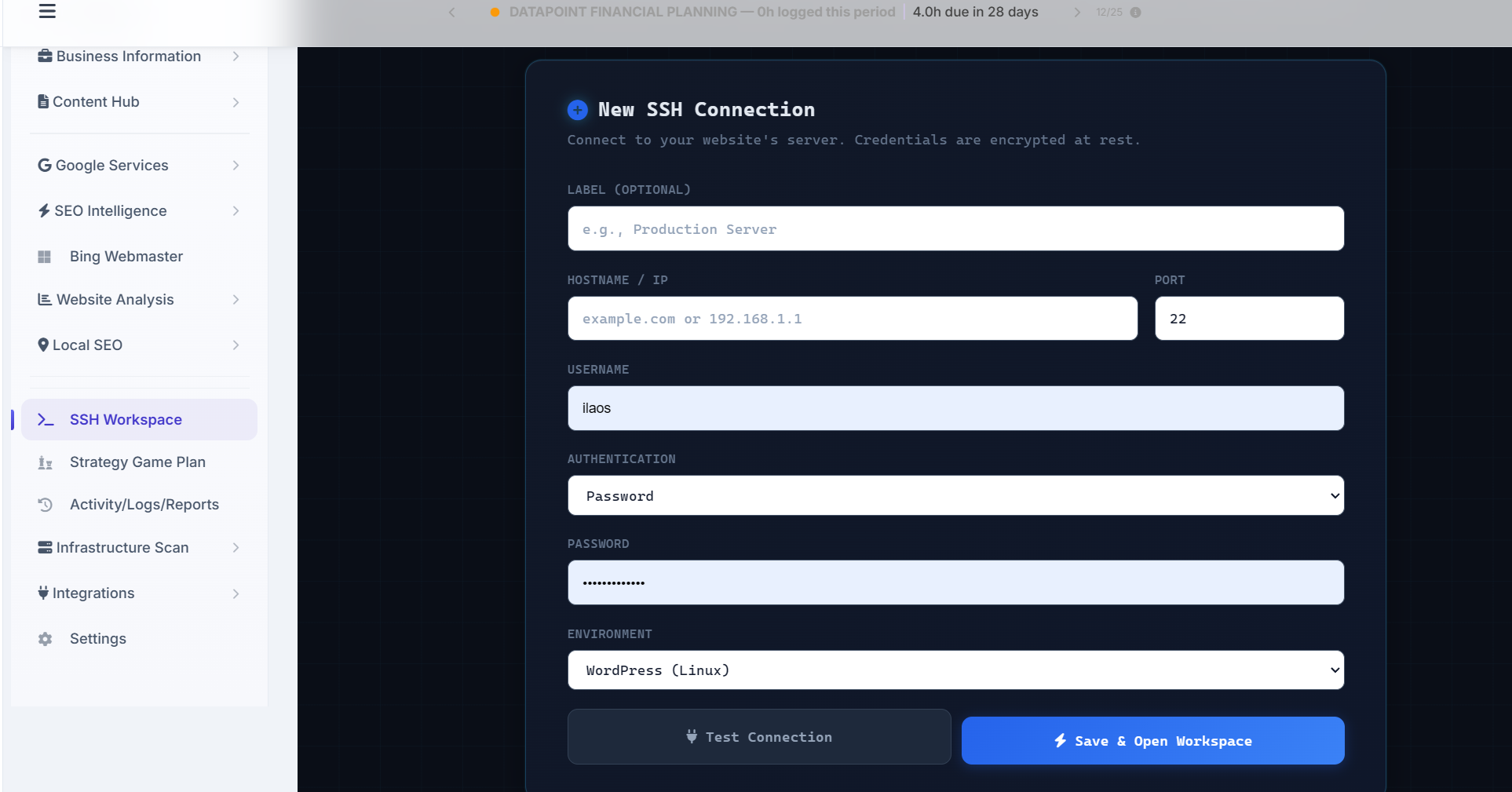
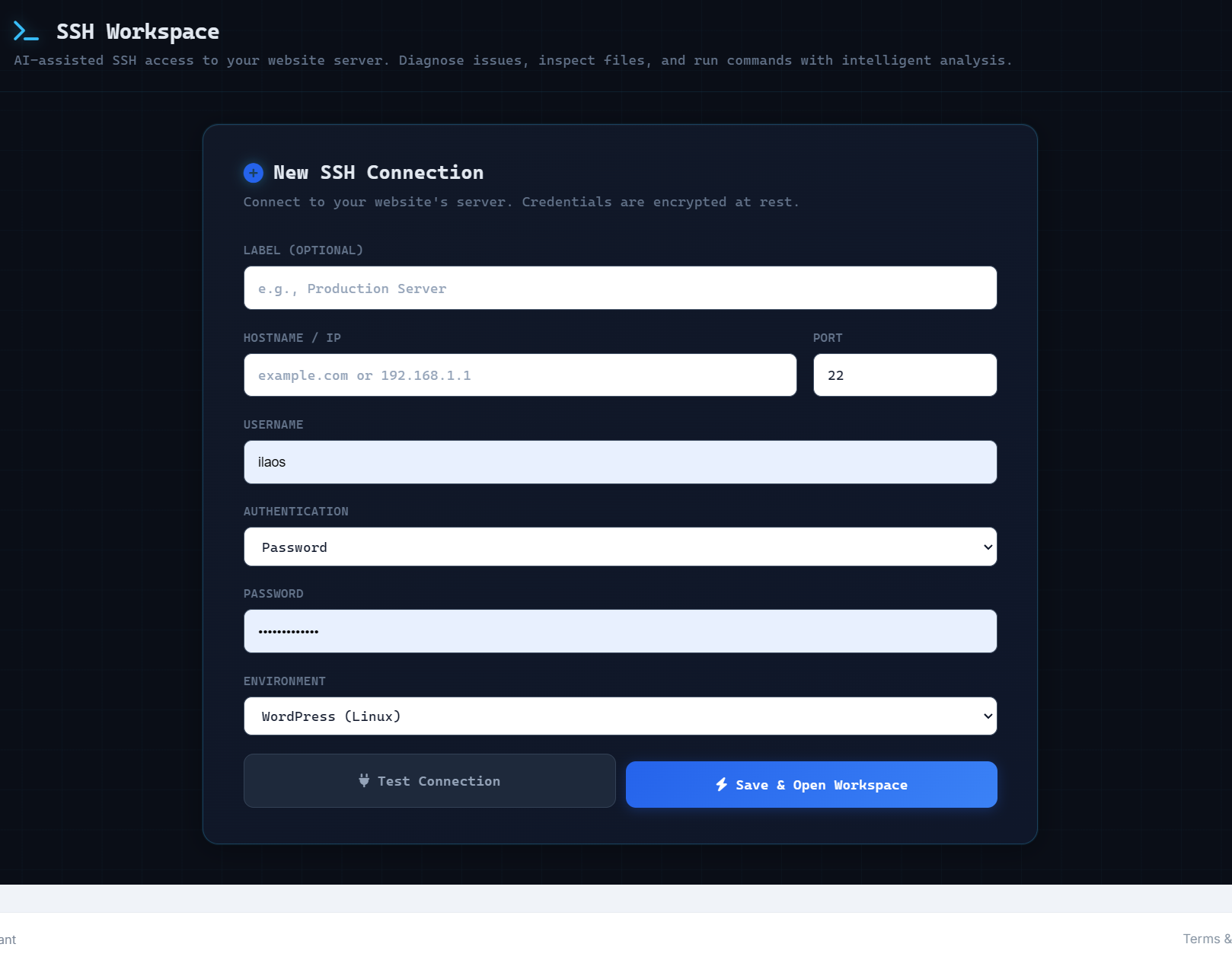
Point AlmaSEO at a site's server — hostname, port, username, password or key — and pick the environment. Credentials are encrypted at rest, so you test the connection once and open the workspace whenever the site needs work.
What the workspace does
One workspace to investigate, fix, and document website work over SSH, with the client's SEO data and history behind every session.
Run a real session
You describe what you're chasing. The agent decides what to inspect, runs approved commands, and explains what it finds — with the raw terminal one click away.
Tell it "why is this site slow?" or "did the last deploy break the canonicals?" The AI agent plans the checks and calls the right commands itself.
The agent is powered by Claude — the AI assistant you already know — using your own API key, validated before the session starts.
Open a session straight into a common job — Why is my site slow? · Check error logs · Post-deployment SEO check — from six clickable cards, no typing required.
Readable steps like "reviewing PHP errors" or "checking active plugins," each with the exact command, raw output, and timestamp expandable underneath.
The workspace always shows whether it is reading, proposing, or changing. Anything that alters the site waits for your approval first.
For bigger jobs it proposes a batch of commands as one investigation plan. You approve the plan, and it runs them in sequence — no command-by-command babysitting.
With your approval, the agent can rewrite title tags and meta descriptions on live pages — turning a diagnosis into a shipped on-page fix without leaving the session.
Spot a missing or thin page and have the agent draft a new article to fill it, using the same content engine as the rest of AlmaSEO.
Finished an AlmaSEO article for a Hugo, Jekyll, Next.js, or plain-HTML site? Send it to the workspace and the agent reads the site's structure, drops the file in the right place, updates the sitemap, commits, and deploys — no export-and-manual-upload.
It already knows the site
The session opens inside the client and carries what AlmaSEO already knows about the site, so the agent reasons with real context instead of starting from zero.
Search Console top queries, recent articles, and site infrastructure data are fed into the agent, so it knows the site's real SEO shape — not just its file system.
Mid-session, the agent can pull current Search Console, Analytics, content, and link-profile data itself — so its reasoning stays grounded in the site's real numbers, not just its files.
You enter the workspace from a client's site record, so their priorities, hours, and history are already in the room.
It detects the WordPress install, checks the WP-CLI version and install path, and adjusts how it works to match the environment.
The same connected data behind your audits, content, and reporting is available to the session — one source of truth, not a second silo.
Nothing gets lost
The work doesn't evaporate when you close the window. Findings, decisions, and outcomes stay attached to the right website and flow straight into your records.
When you end a session, the agent writes a clean recap — what was checked, what it found, what changed, what remains, and the recommended next steps.
Every finding from the session collects in one place — problem, evidence, affected pages, and recommended action — separated from the raw command stream.
Convert any finding into a tracked task in one click, so the fix doesn't get lost between spotting it and getting it done.
Annotate a session with your own notes, so the context you know but the terminal doesn't stays attached to the site.
The whole session — conversation, commands, findings, and decisions — is attached to the site, auto-named from your first message, ready to reopen later.
Export a session into the activity and reporting system it already feeds, so the work counts toward the client record without re-entering anything.
Turn a finished session into a formatted, client-ready report of what was done and why it mattered.
Generate a ready-to-send handoff from the session — developer instructions and an implementation checklist, a Claude Code prompt to run the fix, or a plain-English explanation for the client.
Reconnect to a dropped session and pick up the thread — the history comes back with it.
Safe on a client's server
Fast doesn't mean careless. The workspace reduces scope before it skips a control, and nothing meaningful happens without you.
Connection details are stored encrypted. You save a connection once and open the workspace from it — no re-entering credentials every session.
Built around limited, key- or password-based accounts on supported environments rather than open root shells.
Credentials, context, and output stay inside the client they belong to. Nothing leaks between the sites you manage.
Exact commands, output, and timestamps are stored for review, so a technical user can inspect everything instead of trusting a black box.
In the agent's own words
A real answer from a live session — every capability tied to the client's own Search Console and Analytics data, and every one something the workspace can do in the same conversation.
Here's the complete answer — what I can do, and what powers it:
📊 1. Analyze their current performance
Tools: GA4 + Google Search Console
🔎 2. Find exactly what's missing
Tools: GSC + content gaps + WordPress file access
✍️ 3. Create the missing pages — right now
Tool: AlmaSEO Content Engine
🏷️ 4. Optimize metadata on live pages — instantly
Tool: WP-CLI via SSH + AIOSEO
📈 5. Push "almost ranking" keywords to page 1
Tools: GSC + WP-CLI + Content Engine
…and more in the same session: technical WordPress fixes, malware and security scans, and a full local-SEO build-out.
Every capability above is live in the workspace today.
What people open it for
WordPress slowdown
Disk use, debug logs, PHP errors, database size, cache state, active plugins, and recent changes.
Critical WordPress error
Identify the failing component, explain the likely cause, and prepare a safe next step.
Indexing or canonical problem
Sitemap status, robots directives, canonicals, connected search data, and recent changes side by side.
Redirect or migration issue
Redirect behavior and broken destinations, with the affected high-value pages flagged.
Suspicious or injected code
Indicators, unexpected recent changes, obfuscated code, or altered core files — shown, never waved off.
Post-deployment SEO check
Changes against search-critical templates, metadata, canonicals, schema, and indexability.
Questions
Yes — safe access is the foundation this feature is built on, not an afterthought. Because AlmaSEO connects directly to your server to diagnose issues from the inside, we designed it so that nothing can change or damage your site without your explicit approval.
Here's how it works. AlmaSEO reads and investigates freely, but the moment it wants to run anything that could modify a file, alter your database, or send data off your server, it stops and asks you first. You see exactly what it wants to run and why, and it doesn't proceed until you click approve. You're always the final decision-maker — the AI can recommend, but it can't act on anything sensitive on its own.
We also assume the internet is a hostile place, and we built accordingly. Your login credentials are encrypted, and your server's identity is verified on every connection, so AlmaSEO won't be fooled into connecting to an impostor. If we ever read something sensitive like your site's configuration file, the AI can use it to help you, but it's automatically hidden from our activity logs rather than stored in plain text. And because AI assistants can be manipulated by malicious content, AlmaSEO is specifically instructed to treat anything it finds on a server as untrusted — it will never follow hidden instructions buried in a file or a log.
Finally, every one of these protections was independently stress-tested by separate review passes whose only job was to try to break them, and each command AlmaSEO runs is permanently logged so you have a complete, reviewable record of everything that happened.
What's new
New capabilities land as focused releases — each one a new job you can do from the same workspace.
Turn a finished session into a ready-to-send handoff — developer instructions and an implementation checklist, a Claude Code prompt to run the fix, or a plain-English explanation for the client. Plus your own session notes and one-click finding-to-task.
The core workspace: AI-assisted SSH sessions on Claude with command-safety approvals, connected AlmaSEO context, six quick-start templates, structured findings, session summaries, saved site history, WordPress detection, and export to Activity Logs.
Open a workspace
Point AlmaSEO at a WordPress or static site, ask it what's wrong in plain language, and keep every command, finding, and decision attached to the client.
Already using Claude Code, PowerShell, or a terminal over SSH? This is that — cleaner, persistent, and built for SEO and multi-site client work.